
Windows
Local Dev Setup - Using Laragon
Prerequisites
- Laragon
- Git
- Access to the git cloud repository (Reach out to team for access)
- Current ENV File (Connect with Team Member that has Delta Set up on their local host)
Set Up Steps
- Clone The Repo to your local Dev from the Cloud Source Control (NB Clone code to folder called Delta)
- Install Laragon
-
Update where Laragon should read the code from:
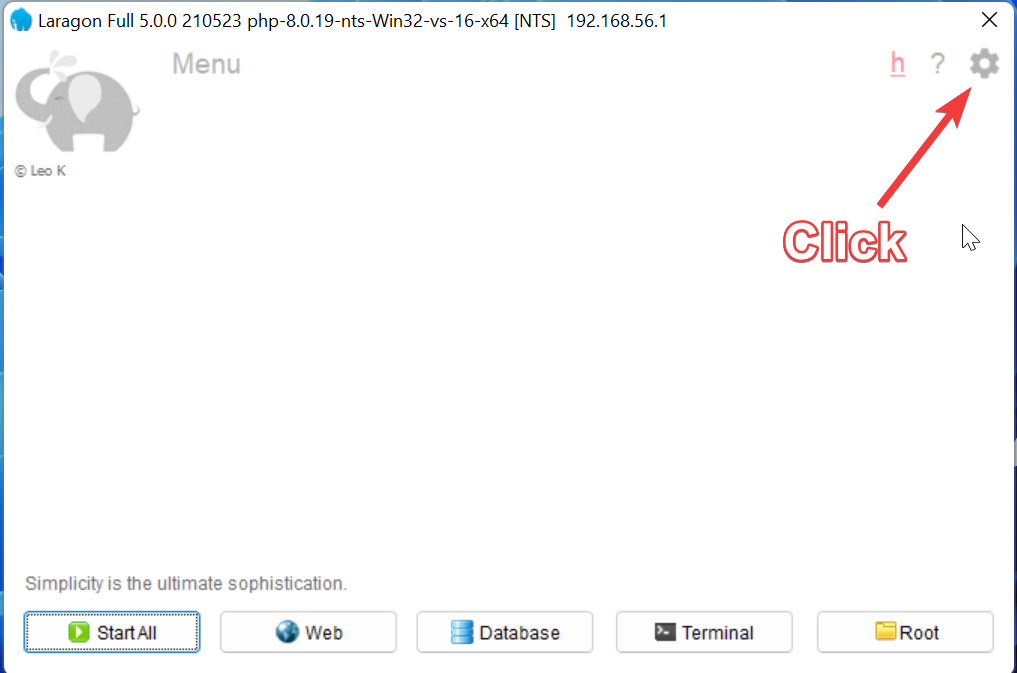
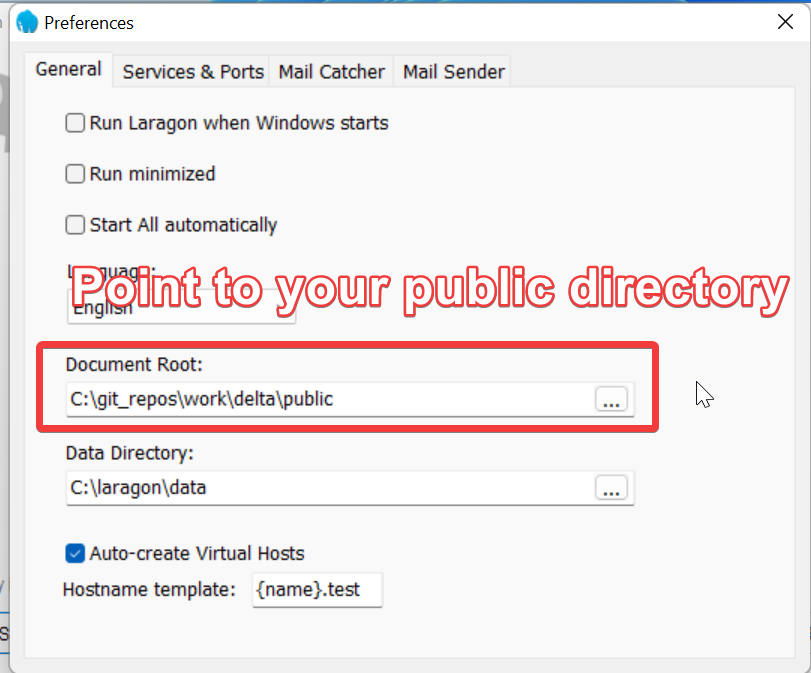
-
Check and add missing services needed to run application
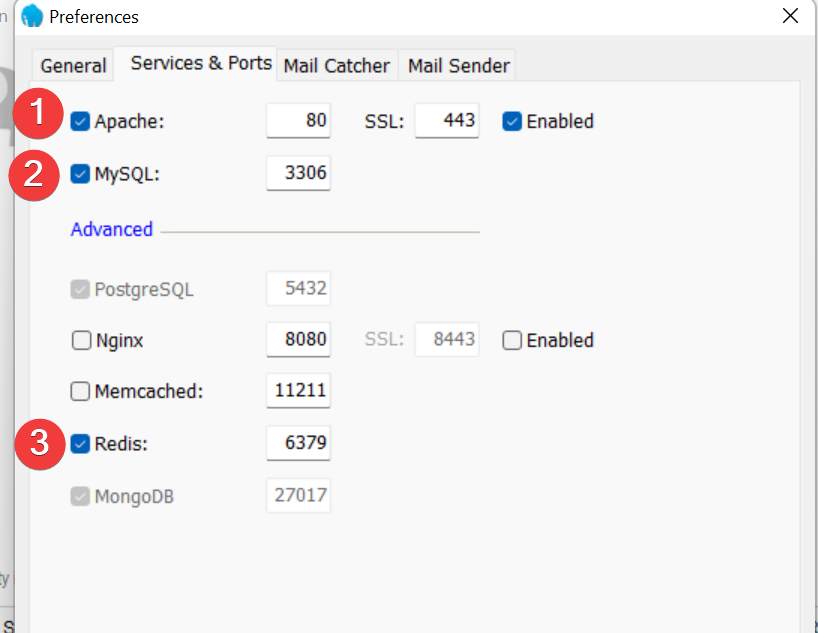
-
Ensure the correct version of PHP will be used in your Laragon environment. If it isn’t there follow the link to see how to add a different version of PHP
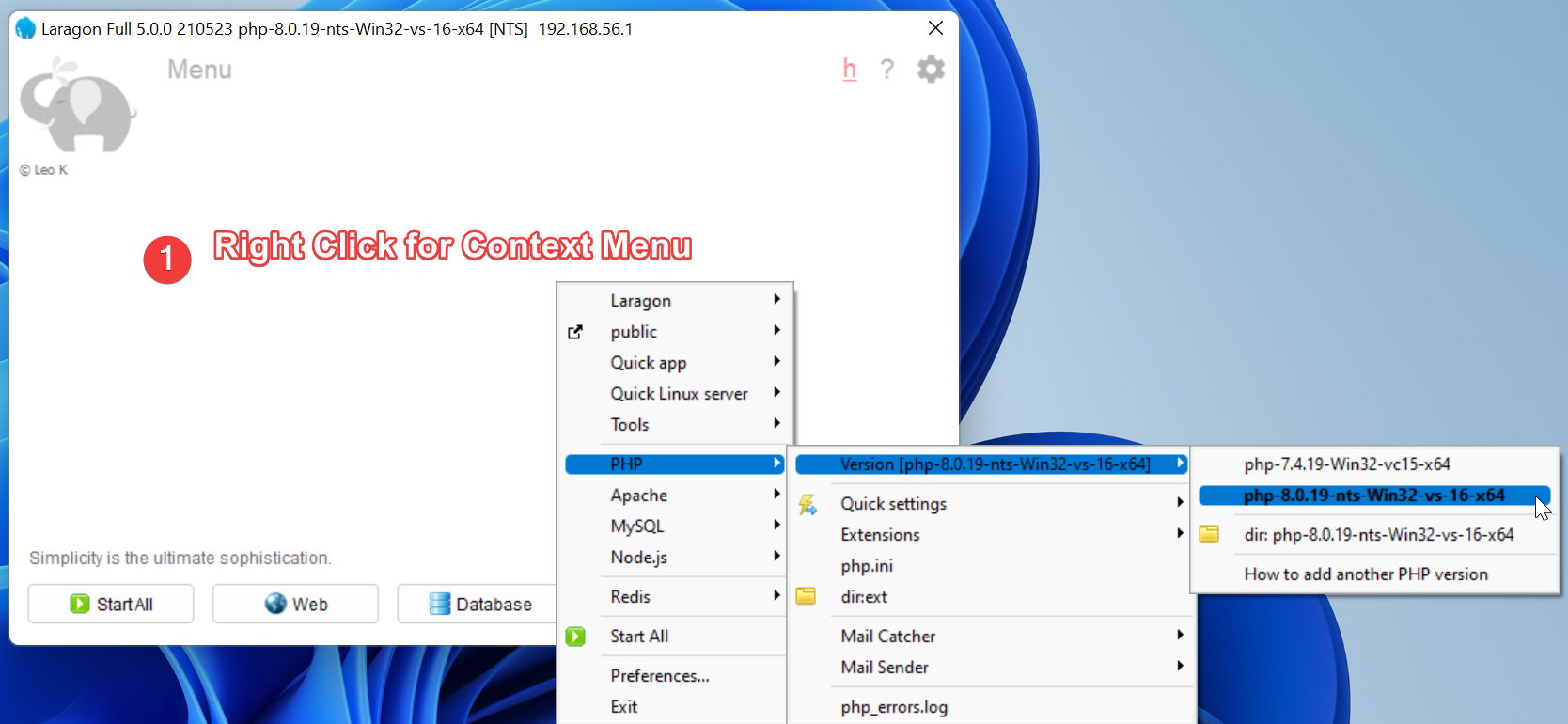
-
If you haven’t all ready - open the code repo on your local dev and add the .env file as previously obtained from a colleague.
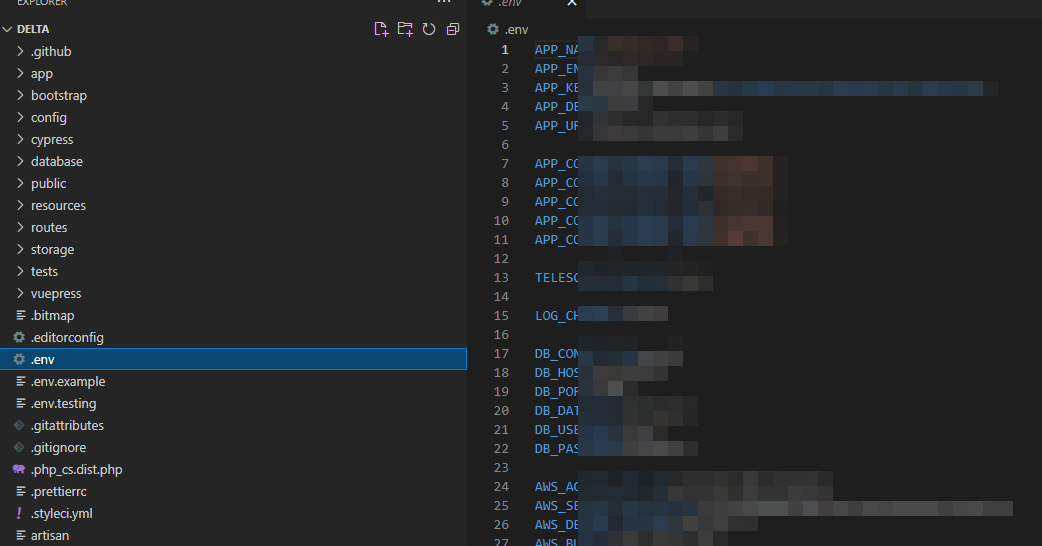
-
Start Laragon
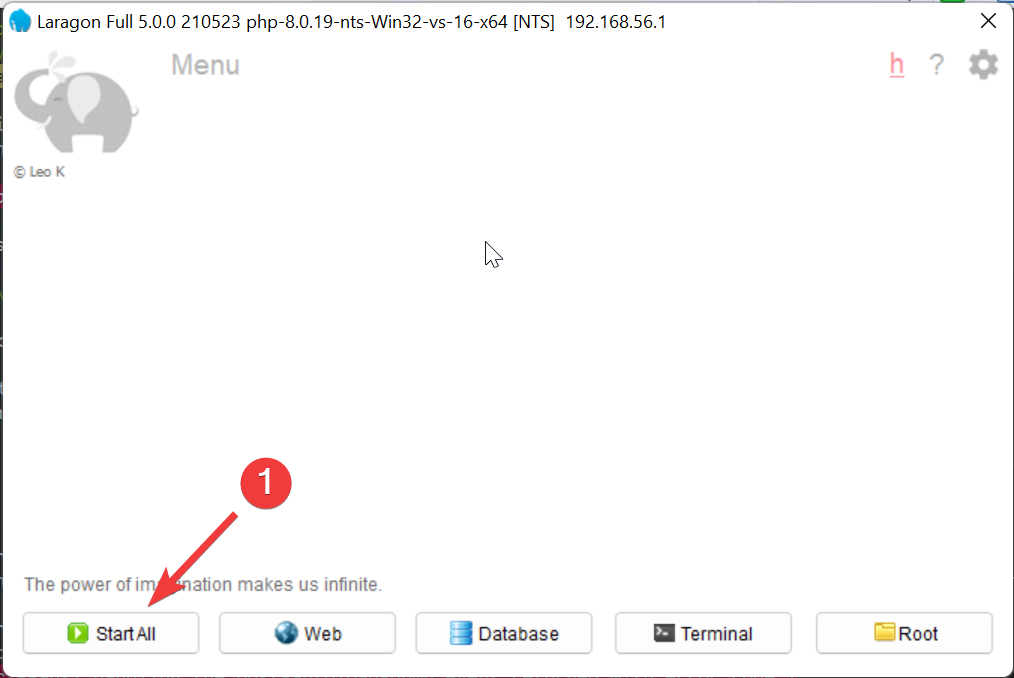
-
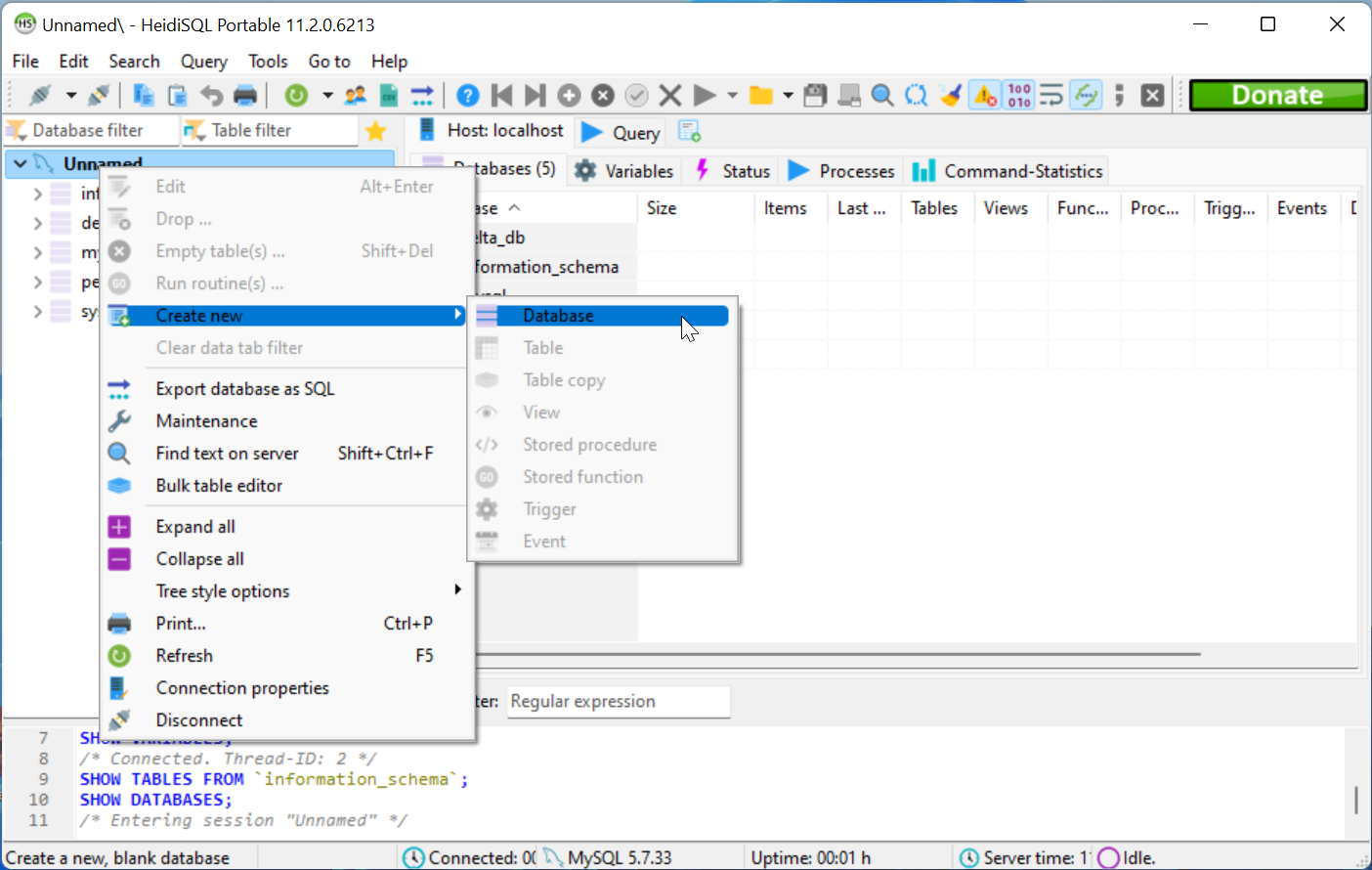
Create a database
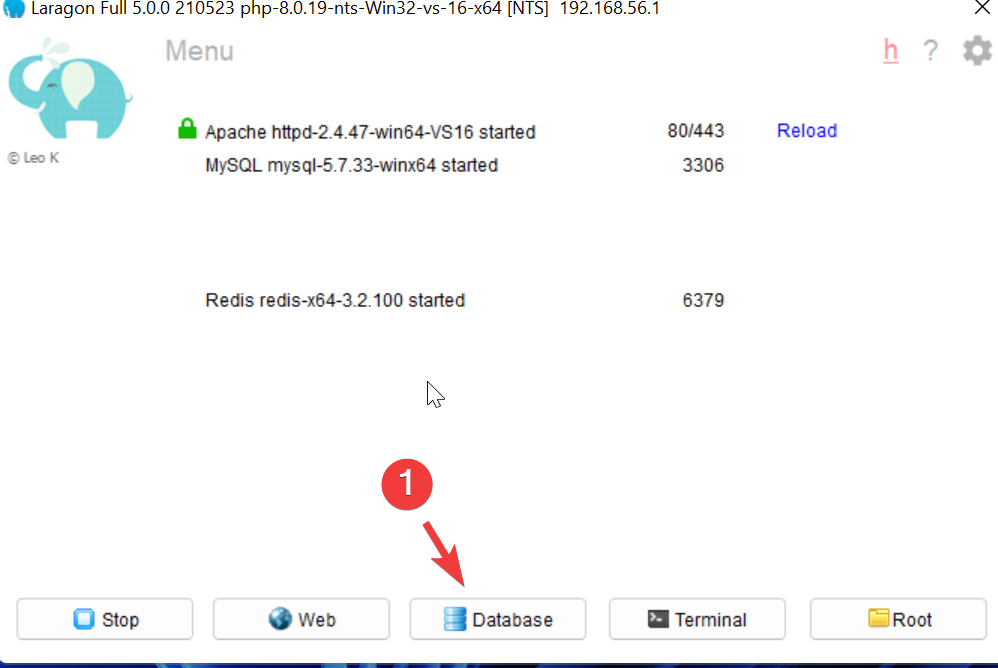
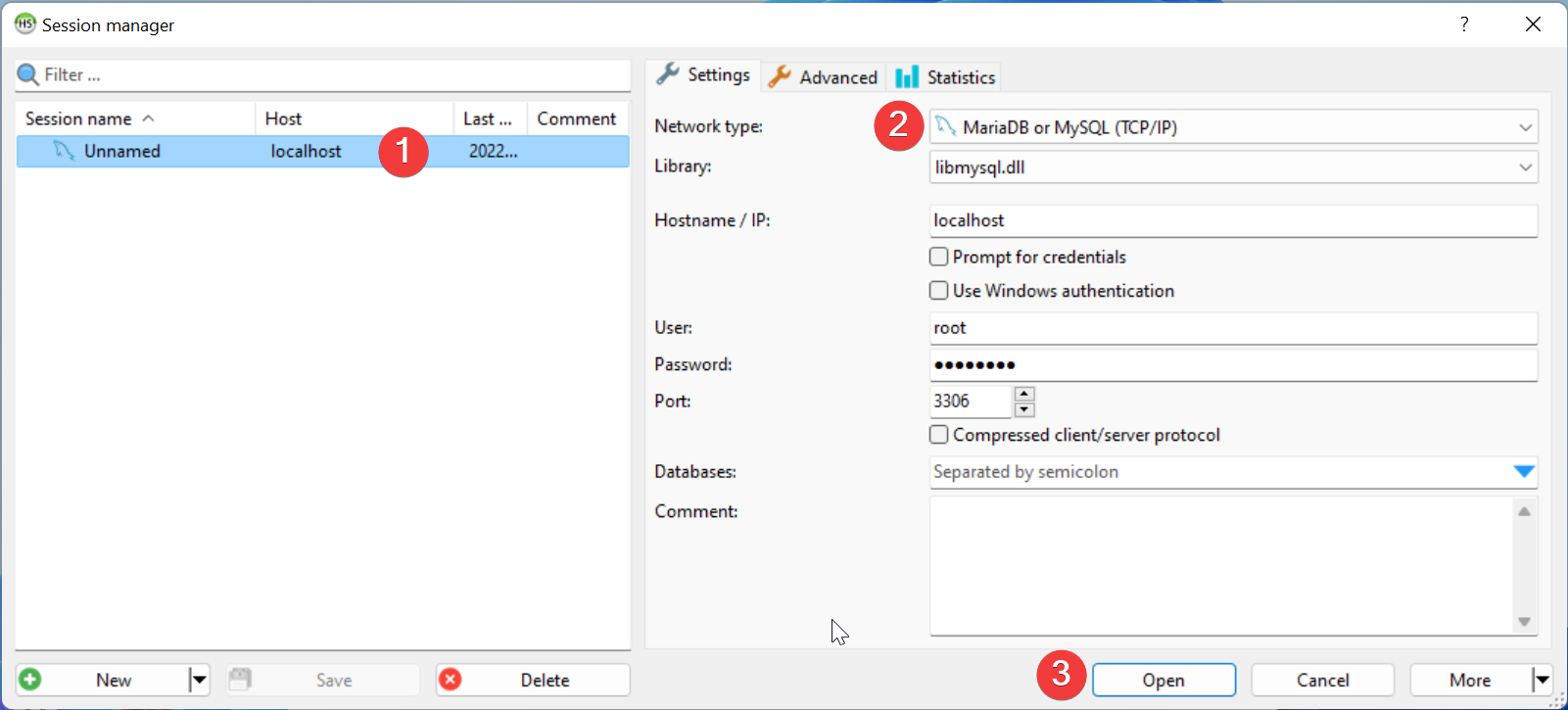
-
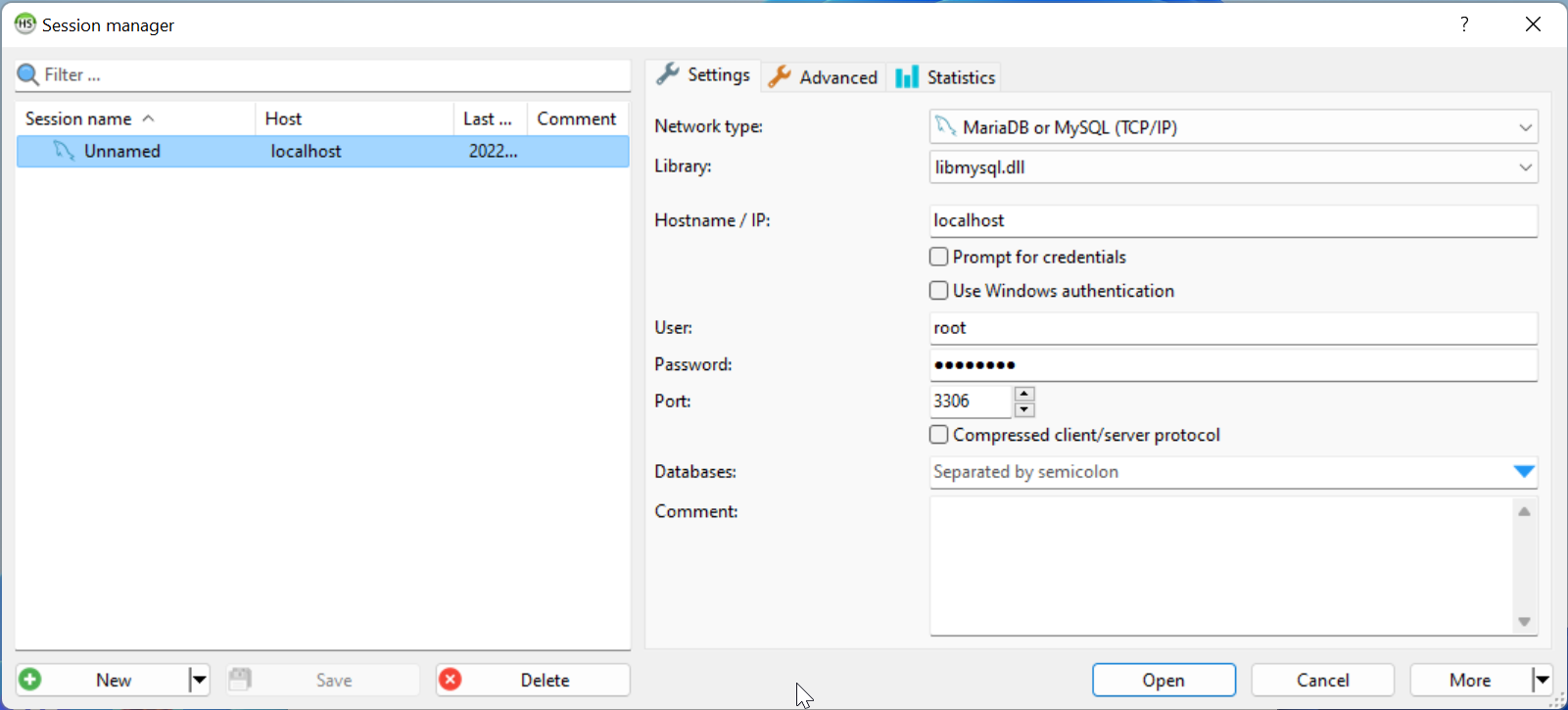
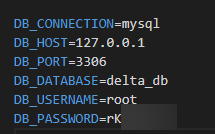
Add Database details to ENV
-
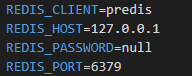
Update Redis Details in ENV
-
We can now commence with the Repo Readme steps - ensure that your console is pointing to the delta parent folder.
- composer install
- npm install
- php artisan migrate
- php artisan db:seed
- php artisan key:gen
- npm run dev (Launches Vite Server)
-
Update your Hosts File
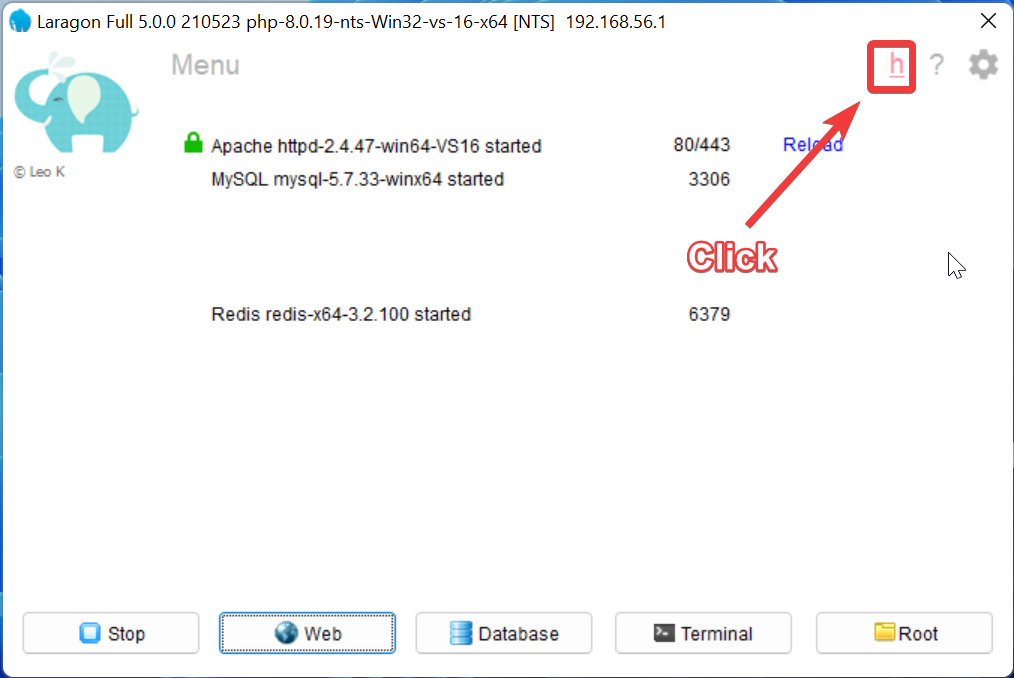
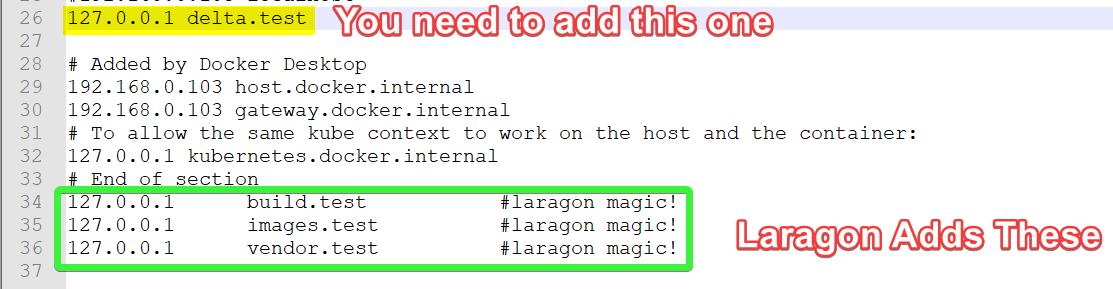
-
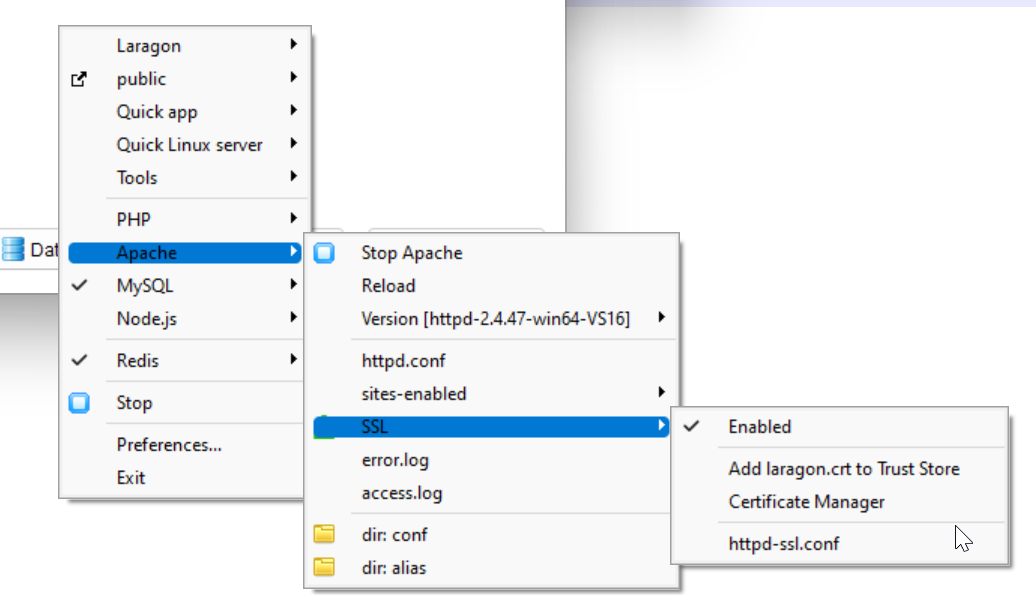
Ensure you’ve enabled SSL on you apache server (Right click on Laragon UI)
- Finally hit your local site
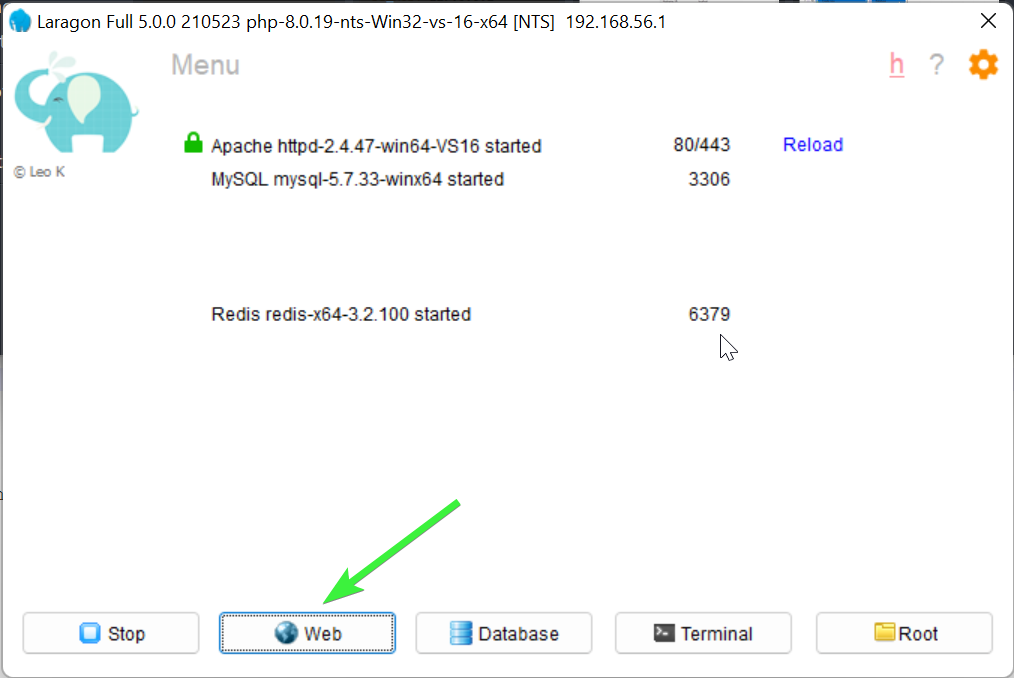
Notes: You may need to connect with the team to get your Auth0 set up so you can log in to local host via it.