
Authentication
Authentication Logic
Introduction
In January 2022 we refactored our login logic to use an in-app (custom) login page rather than the universal lock login provided by Auth0. This outlines some key components of the login within the codebase.Backend components
- app
- Auth
- AuthInterface
- PasswordAuth
- PasswordlessEmailAuth
- SocialGoogleAuth
- Http
- Controllers
- Auth
- Auth0AuthController
- AuthController
- AuthGoogleController
- AuthPasswordController
- AuthPasswordlessEmailController
- SignUpController
- Auth
- Requests
- SignUpRequest
- Controllers
- Repositories
- CustomUserRepository
- Services
- AuthService
- Auth
Controllers
Auth0AuthController
This controller handles the callback from Auth0 for authentication that doesn’t use our custom logic, but rather the redirect logic. This is NB for logins like social logins (Google) that need to be redirected once authenticated back to the App We currently only use thecallbackCode method for the Google social login
AuthController
This handles the primary web requests for authenticationlogin(): The main login page requestverify(): The verify user email requestforgotEmail(): The forgot email page requestlogout(): The logout requestlogoutConfirmation(): The logout confirm page request
AuthGoogleController
This handles the web requests for Google authenticationloginGoogle(): The Google login redirect request
AuthPasswordController
This handles the web requests for password authenticationforgotPassword(): The forgot password page requestforgotPasswordProcess(): Process forgot password requestloginPassword(): The password login page requestloginPasswordProcess(): Process login password validation request
AuthPasswordlessEmailController
This handles the web requests for passwordless email authenticationloginPasswordlessEmail(): Handles both the page and the process of code reques
SignUp Controller
This handles the primary web requests for sign upsignUp(): The main sign up page requeststore(): The verify and process new sign up request
Requests
SignUpRequest
Handles the validation for the sign up requestRepositories
CustomUserRepository
Handles the creation and upserting of new and existing usersupsertUse(): This is the classic Auth0 method to upset a user on login if they were already logged in on auth0updateOrCreate(): Custom method to create or update a user on sign up and store them locally
Services
AuthService
Service for all unique methods required by authenticationvalidateAuthEmail(): Validates the user exists for the provided emailgetUserAuthOptions(): Gets the login options for the given userprocessLogin(): Process the login for a given email and Auth0 token datavalidateRedirect(): Validate redirect url parameter and set in sessionvalidateSignUp(): Validate if sign up is active and set in sessionunvalidateSignUp(): Remove sign up active from sessionsuccessfulLoginRedirect(): Handle redirect on successful loginlinkDuplicateAccounts(): Handle linking of two authenticated accounts automatically
Managing NGINX authentication
Some of our sites ask for a username or password before they allow you to access the site. It looks something like this: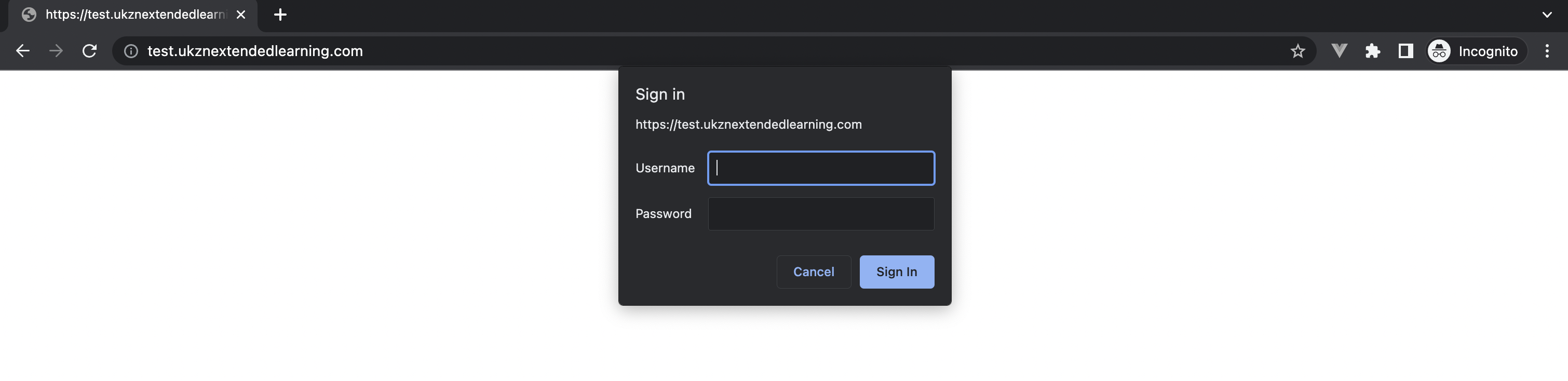
Setting the username and password
- SSH into the server:
ssh forge@<SERVER_IP> - Install
apache2-utilsif its not installed already:sudo apt-get install apache2-utils - Navigate to the folder for the site.
cd example.com - Create the
.htpasswdfile:sudo htpasswd -c .htpasswd <USERNAME> - It will prompt you to enter a password and confirm it. Make sure you save this password somewhere (preferably a password manager). The version that you will see in the
.htpasswdfile is a hashed version of the password for security reasons.